Themes and Elementor development
Improve the theme and editing workflow you use, with Elementor, blocks or custom code matched to the project.
- Elementor page improvements
- Mobile-first responsive
- Gutenberg blocks
- Custom CSS and JavaScript
Analytics only if you accept. Privacy
Services
Elementor improvements, custom themes and plugins, technical SEO and maintenance. Keep the editing tools your team knows, with custom code where it helps.

In short
WordPress and Elementor development, custom plugins, technical SEO and maintenance. Start with the customer journey and the editing workflow your team uses. Preview changes, preserve established URLs and verify the important pages after release.
How it runs
Example run
What we build
Improve the theme and editing workflow you use, with Elementor, blocks or custom code matched to the project.
Custom functionality when off-the-shelf plugins don't fit. Built to WordPress coding standards.
Online stores with custom checkout flows, payment processing, and inventory management.
Move to WordPress from another platform with URL redirects mapped and search visibility kept.
Speed up slow WordPress sites with caching, image optimization, and code cleanup.
Keep your site secure with regular updates, monitoring, backups, and malware scanning.
Tools
How we work
We analyze your business goals, target audience, and technical requirements.
We design the key pages and review them with you.
Clean, semantic code with full documentation. Staging site for your review.
QA, SEO checks and performance work before going live.
Plugins
Lean code, caching and suitable hosting for quick page loads
Monitoring, regular updates and backups
An admin your team can use without a developer
Approach
Native Elementor and block editing, supported by focused custom code.
Hardened installations, regular audits and monitoring.
Core Web Vitals, caching, image optimization, and cleaner code paths.
We maintain your site so you can focus on your business.
FAQ
We work with existing themes, Elementor, Gutenberg and custom code. The choice depends on your current site, editing needs and scope. Our delivered client work includes native Elementor improvements; a custom theme is an option when it is the right fit.
Yes, when an existing plugin does not fit. Examples include booking systems, membership portals, API connections and calculators. Our plugins follow WordPress coding standards.
We follow a migration checklist: URL mapping, 301 redirects, sitemap submission, keeping meta data, and checking Search Console after launch. We keep existing URLs where possible. Rankings cannot be guaranteed.
We measure the existing site, optimize images, tune caching, review hosting and reduce unnecessary scripts and plugins while preserving the editing workflow your team uses. The goal is better Core Web Vitals, cleaner crawl paths, and a site your team can maintain.
Yes, with custom checkout flows, Stripe, PayPal or Square payments, inventory sync and subscription products. We also speed up existing WooCommerce stores.
Security monitoring, backups, core, plugin and theme updates, uptime monitoring, malware scanning, performance work and support, scoped to your site.
Yes. We audit performance, fix security issues, remove plugins you do not need, clean up the database and get the site running properly. If a rebuild would cost less, we will tell you.
Yes. WordPress stays the place your team edits content, and a React or Next.js front end serves the public site.
Client delivery

Client work / WordPress
Treatment discovery, local search and an editable clinic website

Client work / WordPress
Clearer membership information and maintainable WordPress improvements

Client work / WordPress · GA4
Practical website maintenance for a South Florida service business
Work
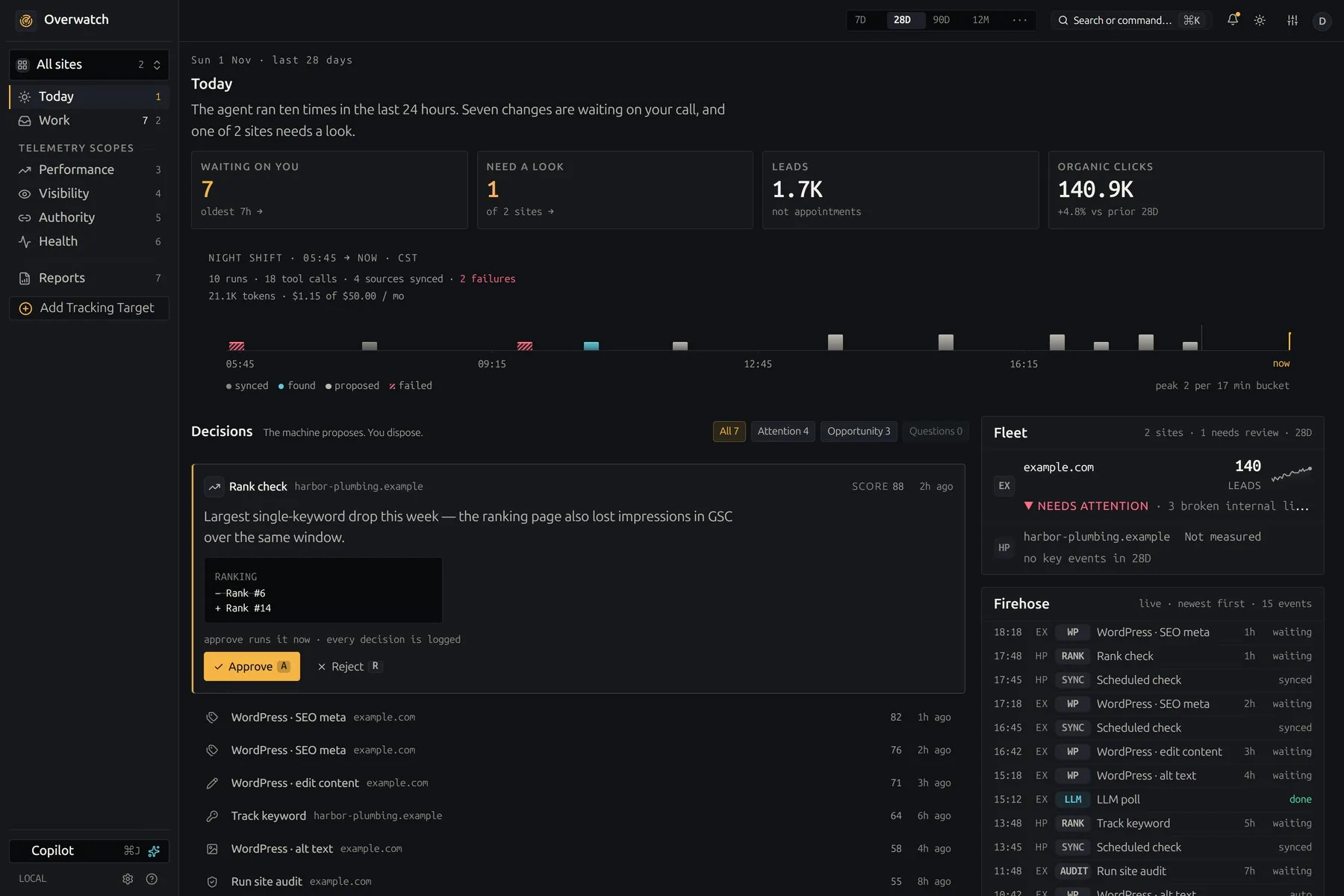
Overwatch shows how a site is found in classic search, in AI answers and on the local map, then proposes the fixes. Nothing it proposes reaches a live site until a person approves it.
Read the case studyHow we work
The same five gates for our own products and for yours. Nothing reaches your customers on the strength of a demo.
Every change starts in a separate copy of the code, so work in progress never touches what is live.
git worktree add .worktrees/your-changeAgents write and test code beside us. They hold no passwords: every call they make goes through our gateway, which checks it and logs it.
agent → gateway → policy · audit · callTests, before-and-after screenshots of the running app, then independent reviewers. It does not move on until no serious finding is left.
review: 0 high · 0 medium → passThe pipeline builds and deploys. Then we check the running service itself, not just a green build.
replicas 1/1 · image sha matches · health 200Each integration we run is tested against its provider every night, so a changed API is caught before your team notices.
nightly: each integration vs its provider