Business Systems / Case study
ButlerCRM
A real-time CRM where the whole team sees the same customer at once
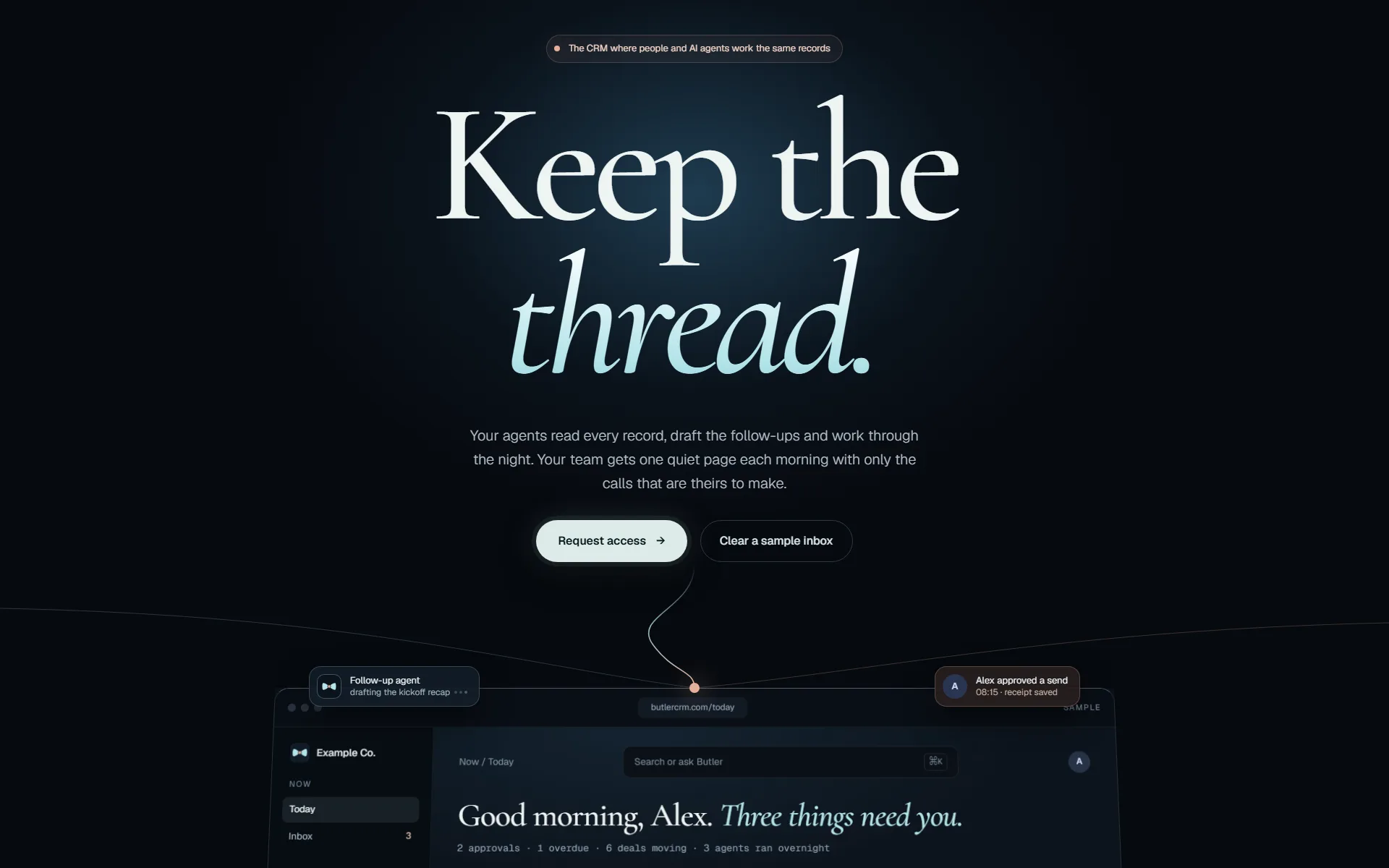
In short
ButlerCRM is a real-time CRM rebuilt on Elixir/Phoenix: contacts, deals, email, calendar and delivery work in one live workspace, in production at butlercrm.com.
ResultFour disconnected tools replaced by one live workspace, in production at butlercrm.com.
- Status
- In production
- State
- In production
- Stack
- Elixir/Phoenix
- Collaboration
- Real-time
- Mobile
- Full phone views
- Built with
- Elixir / Phoenix / PostgreSQL / Tailwind CSS
Inside the project
01 / 09One customer record: conversation thread, activity, company and the deal in the same place.
Actual ButlerCRM application views use fictional demonstration data, captured November 3, 2026. The public landing-page capture is shown separately.
The brief
The problem
Small teams run their pipeline across a spreadsheet, an inbox, a calendar and a task app. Nobody has the whole picture of a customer, and the picture they do have is already stale by the time two people look at it. The first prototype proved the product, but it was not built for many people working on the same records at the same moment.
What we did
Our approach
We rebuilt ButlerCRM from the ground up on Elixir/Phoenix, a stack designed for many concurrent users and live updates. Customer records, the deal pipeline, communication and delivery work share one workspace, and changes appear for the whole team as they happen. Assistance for scoring and follow-up sits inside the records it relates to.
Features
What it does
- 01
Keep the relationship together
Contacts, companies, deals and activity history share a workspace. A team can follow a customer relationship without reconstructing it from separate email, calendar and task tools.
- 02
Move from conversation to follow-up
Email, calendar and task workflows connect communication to the next action. Pipeline views keep the deal context available while the team works through its day.
- 03
Put assistance inside the workflow
Lead scoring and follow-up assistance sit alongside the CRM records they relate to. The Elixir/Phoenix rebuild provides the application foundation for those connected workflows.
Results
What happened
- In production at butlercrm.com
- Customer timeline, pipeline, email, calendar and tasks in one workspace
- Live updates and presence, so two people never work from different versions of a customer
- Delivery work (briefs, boards, tasks) connected to the customer it belongs to
- Full mobile views for the relationship and the work
Questions
About ButlerCRM
Why rebuild on Elixir/Phoenix?
The product depends on many people seeing the same records change at the same time. Elixir/Phoenix is designed for concurrent, live applications, so real-time updates are part of the foundation.
Are the screenshots real?
Yes. They are the actual application, captured with fictional demonstration records so no customer data is shown.
Services
What this work shows we do
Custom software
Service pageSoftware built around how the business works, and run after launch.
CRM
Service pageA CRM set up around your pipeline, connected to the rest of the stack.
AI automation
Service pageModels wired into the tools your team already uses, with logs and limits.
Related work
Built with the same services
 Developer Tools
JarvisMCP
JarvisMCP gives AI agents one governed door into our company systems: CRM, search intelligence, infrastructure, memory and coordination. Agents find the capability they need, act through it, and leave a record. They never hold the keys.
Read the case study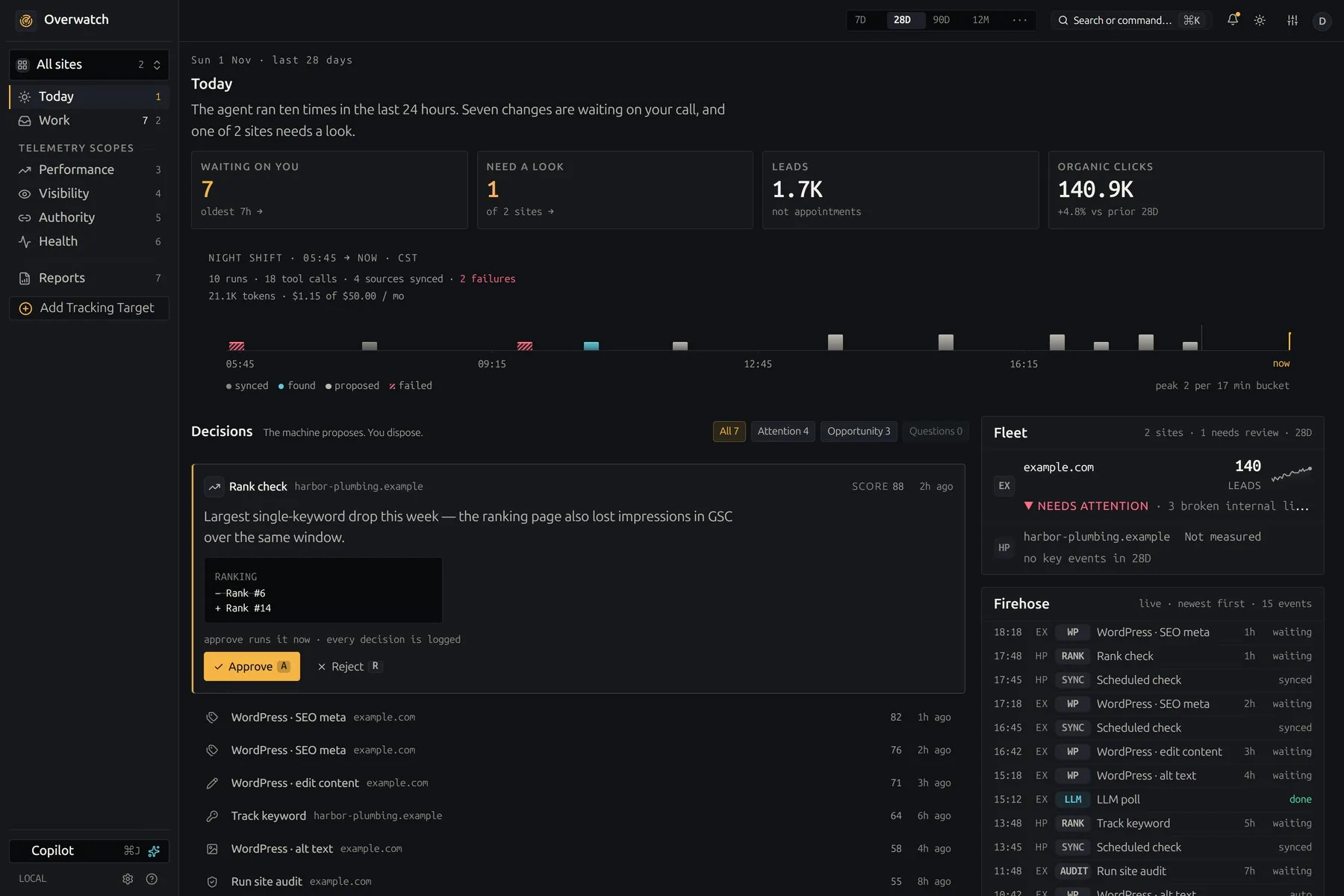 Sales & Marketing
Overwatch
Overwatch shows how a site is found in classic search, in AI answers and on the local map, then proposes the fixes. Nothing it proposes reaches a live site until a person approves it.
Read the case study
How we work
How a change reaches production
The same five gates for our own products and for yours. Nothing reaches your customers on the strength of a demo.
- 01 · Isolate
Its own branch and workspace
Every change starts in a separate copy of the code, so work in progress never touches what is live.
git worktree add .worktrees/your-change - 02 · Build
Engineers with AI agents
Agents write and test code beside us. They hold no passwords: every call they make goes through our gateway, which checks it and logs it.
agent → gateway → policy · audit · call - 03 · Prove
Evidence, then review
Tests, before-and-after screenshots of the running app, then independent reviewers. It does not move on until no serious finding is left.
review: 0 high · 0 medium → pass - 04 · Ship
Deployed and checked live
The pipeline builds and deploys. Then we check the running service itself, not just a green build.
replicas 1/1 · image sha matches · health 200 - 05 · Watch
Checked every night
Each integration we run is tested against its provider every night, so a changed API is caught before your team notices.
nightly: each integration vs its provider